Blog

Stories, updates, and insights from Walk With Me.

April 13, 2026

Best Walking Apps 2026: Why Walk With Me Is Different

If you search "best walking apps 2026" right now, you'll find lists featuring Strava, AllTrails, MapMyWalk, Pacer, Nike Run Club, and a bunch of step counters. They're all solid apps. I use some of them myself. But here's the thing: none of them do what Walk With Me does.

Most walking apps fall into one of three categories:

Step counters (Pacer, StepsApp, Pedometer++): They count your steps, track your distance, estimate calories, and give you a number at the end of the day. That's it. You're still walking alone.

Route trackers (Strava, MapMyWalk, Nike Run Club): They record your route on a GPS map, show your pace, and let you compare your performance over time. More useful than a step counter, but you're still walking alone.

Trail finders (AllTrails, Komoot, Gaia GPS): They help you discover hiking trails and outdoor routes. Amazing for finding new places to walk, but again, you're walking alone.

See the pattern? Every popular walking app treats walking as a solo activity. Walk With Me is built around one simple idea: walking is better with other people.

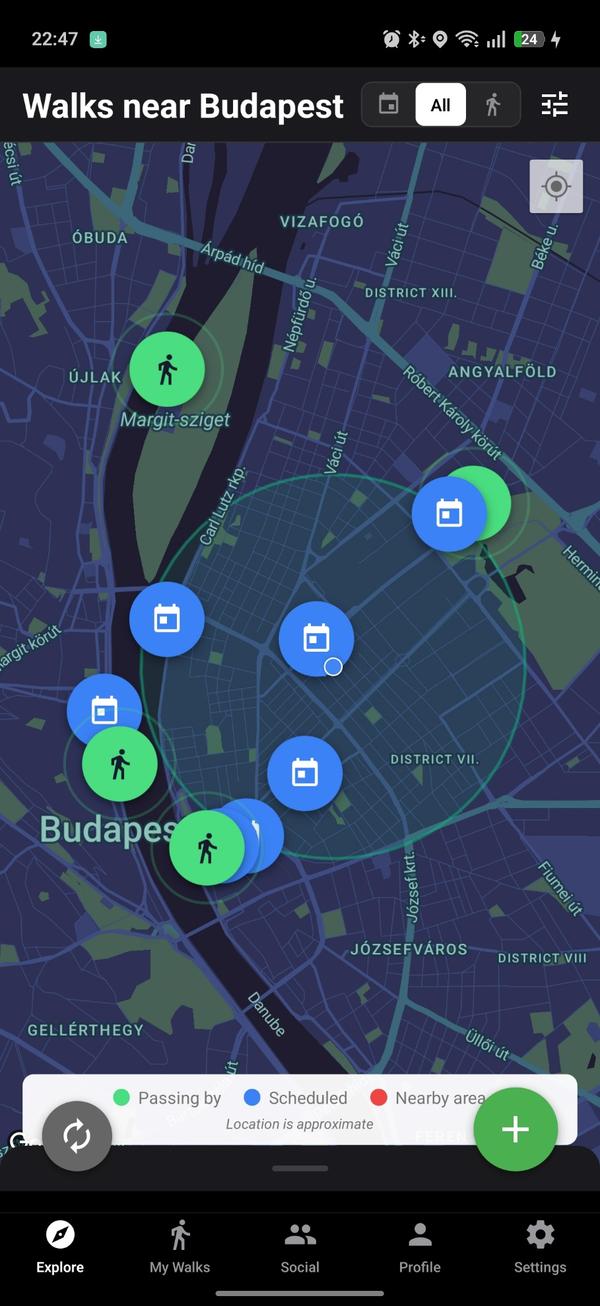
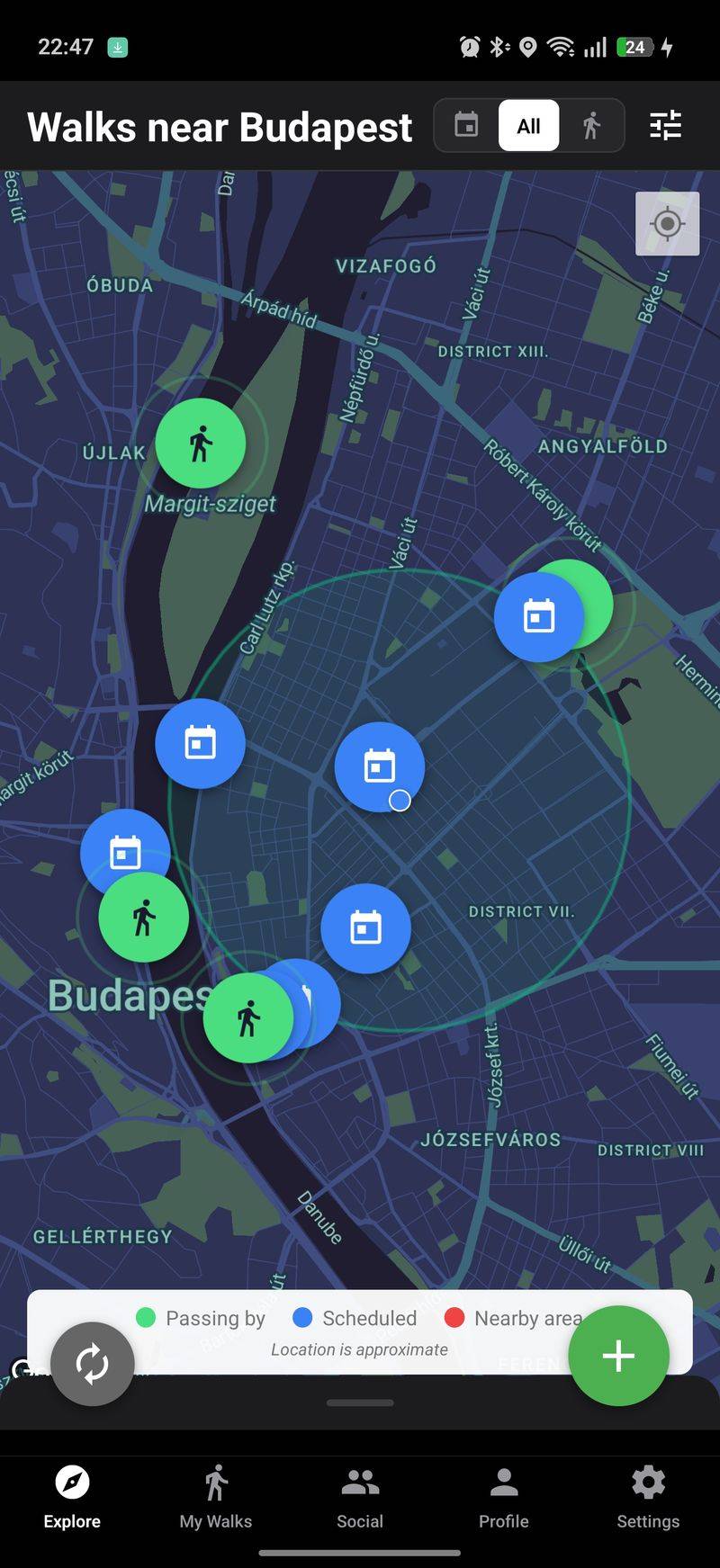
Instead of tracking your solo walk, you open the app and see a live map of walks happening around you right now. Green markers show people who are currently walking. Calendar icons show scheduled walks coming up. You tap a walk, read the details, and request to join. Or you create your own walk and let others find you.

Live map of walks on Walk With Me

That's the fundamental difference. Every other walking app starts with YOU and your data. Walk With Me starts with OTHER PEOPLE and the walks happening around you.

Safety First

Your location is offset by 200 meters, map location is delayed by 5 minutes, every join request must be approved by the walk host, you can create Women Only or LGBTQ+ Only walks, one-tap blocking, reports reviewed within 24 hours, bank-level encryption and optional 2FA. Read more about our safety and privacy features.

How Walk With Me Compares

FeatureStep CountersRoute TrackersTrail FindersWalk With Me
Step/distance trackingYesYesSomeYes
GPS route recordingNoYesYesYes
Find people to walk withNoNoNoYes
Group walk creationNoNoNoYes
In-walk group chatNoNoNoYes
Gender-specific safe spacesNoNoNoYes
200m location privacy offsetNoNoNoYes
Dog-friendly walk markersNoNoNoYes
Recurring scheduled walksNoNoNoYes
Free to useMostFreemiumFreemiumYes

Download Walk With Me on the App Store or Google Play and take your first walk with someone new.


April 6, 2026

How We Protect Your Location With a 200m Offset

One of the first questions people ask about Walk With Me is: "Wait, so people can see where I am?" and my answer is always: "No. They really can't."

The Problem

Walk With Me shows walks on a map. But showing someone's exact location to strangers? Absolutely not. We had to figure out a way to show "roughly where" a walk is happening without revealing "exactly where" the walker is standing.

The Haversine Formula Offset

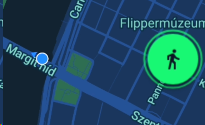
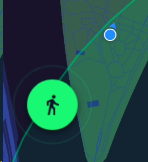
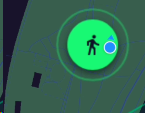
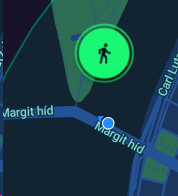
We take your real GPS coordinates and randomly offset them by up to 200 meters using the Haversine formula. This offset is different for every user viewing the same walk. So User A might see your marker 65 meters to the north. User B sees it 198 meters to the southeast. User C sees it 200 meters to the west. Nobody sees the same position, and nobody sees the real one.

Offset example 1Offset example 2Offset example 3Offset example 4Offset example 5

Map Zoom Restrictions

Zoom levels are locked between 12 and 15. Every map displays a "Location is Approximate" label. This prevents anyone from zooming in close enough to identify a specific building or street corner.

The 5-Minute Delay

Location updates every 5 minutes. At average walking pace, that's roughly 400 meters of additional uncertainty. Combined with the 200m offset, someone trying to find you from the map would be looking in the wrong place and in the wrong time.

How People Actually Meet

Once a walk host approves your join request, you get access to the precise meeting point. Strangers browsing the map see an approximate area. Approved participants see the real meeting point. That's the key distinction.

Before approval - approximate locationAfter approval - precise meeting point

Why We Did It This Way

We could have made the app text-based, but that kills the magic. The whole experience is opening the map and seeing green markers of people walking around your city right now. The 200m offset, zoom restrictions, and 5-minute delay give us the balance between useful and safe.

Read more about all our safety and privacy features.


March 30, 2026

5 Ways People Use Walk With Me

When I first built Walk With Me, I thought people would use it the same way I do. But people use it in ways I never imagined. Here are 5 real ways people are using the app.

1. Fitness Walks

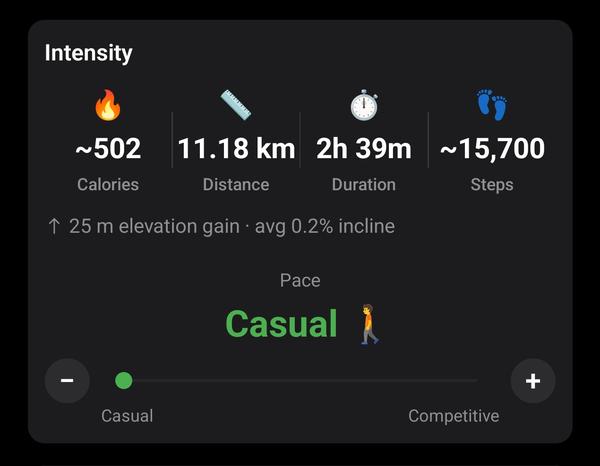
Users create walks tagged as "Fitness" with brisk or competitive pace. Walk With Me tracks pace, estimated calories, and incline. Walking with someone who pushes you means you go further and faster.

Walk intensity controls showing calories and pace

2. Dog Walking

Dog owners tag walks with Dog Walking purpose and get a special pink paw marker. Other dog owners see it, request to join, and suddenly you've got 4 people and 6 dogs walking through the park.

Walk purpose markers showing dog-friendly pink paw

3. Tourism and City Exploration

Users activate Travel Mode and create walks in cities they're visiting. Locals or other tourists join for walking tours. Some users set custom itineraries with specific stops.

Custom itinerary for a walking tour

4. Social Walks (Just Hanging Out)

People create walks with no specific goal. Tag it as "Social", write "just want to walk and chat about anything." Some of the best friendships start with a random walk.

5. Women-Only and LGBTQ+ Safe Space Walks

Gender-specific walk options. Creating a Women Only or LGBTQ+ Only walk means walking without anxiety. Same concept as women-only gym sessions.

Gender preference options for safe space walks

If you haven't tried it yet, download the app and take your first walk.


March 23, 2026

Why Walking Alone Feels Unsafe (And What We Built About It)

Let's be real. Walking alone, especially at night, can feel scary. I've been there myself. Walking through quiet streets at 9 PM, earphones in, constantly looking over my shoulder. Not exactly the relaxing "me time" I signed up for.

When I started building Walk With Me, safety wasn't an afterthought. It was the first thing I thought about. If I'm building an app that encourages people to meet strangers for walks, I better make sure those people feel safe.

The 200-Meter Offset

Your exact location is never shown to anyone. Every marker is randomly offset by 200 meters using the Haversine formula. Nobody can pinpoint you.

Location offset example 1Location offset example 2

The 5-Minute Delay

Location on the map is delayed by 5 minutes. Someone trying to find you would be 200 meters off AND 5 minutes behind.

Host Approval

Every join request must be approved by the host. No explanation needed for declining.

Walk join request approval flow

Gender-Specific Safe Spaces

Women Only, Men Only, LGBTQ+ Only walks. Like women-only gym hours or LGBTQ+ events.

Gender preference options for safe space walks

Instant Block and Report

One tap blocking. Blocked users see "User not found." Reports are reviewed within 24 hours.

No app can guarantee 100% safety. But we stacked 10 layers of protection. If you've ever felt unsafe walking alone, maybe give Walk With Me a try. Walking with someone changes everything. Read more about our safety and privacy features.


March 16, 2026

Your Walk, Your Rules: The Create Walk Experience

And here we get into the discussion of our comprehensive privacy and walk creation flow. As a Walk With Me user, you have absolute full control over who sees your walks, who can and cannot join them, who can even request to join, when the walk takes place, where it starts, where it goes, its purposes, and the list goes on and on.

1. Walk Now or Schedule Your Walk

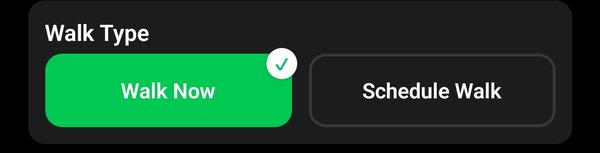
This first step is self-explanatory. You have the choice of casually booting up the app and going for a walk, allowing people to know that you're walking so they can request to join. Or if you want to make plans for a hike, a social gathering like a picnic, or whatever else, you schedule it.

Walk Now or Schedule Walk

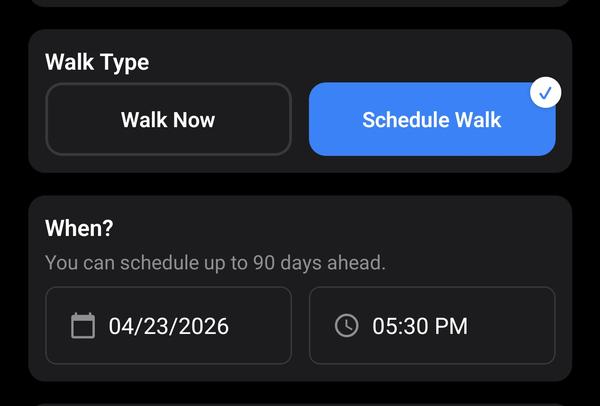
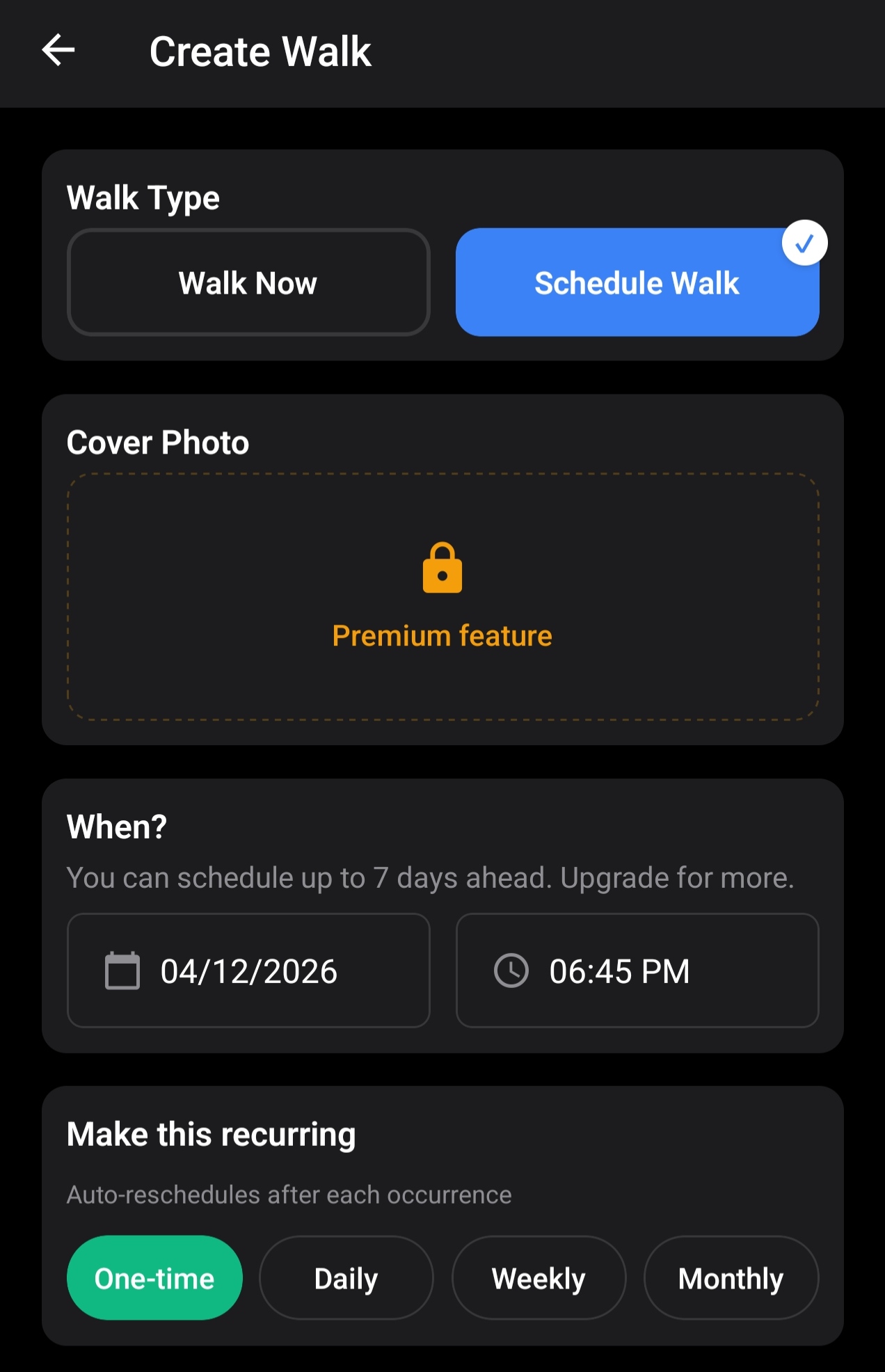
When you choose "Schedule walk", the modal gives you two additional fields: one for a date and one for a time in increments of 15 minutes. And that's it, you get to choose when the walk will take place and officially schedule it!

Schedule walk with date and time

Of course, not all subscription tiers have the same lookahead period! Premium users can schedule walks a month ahead, Power Walkers 90 days, and Touring Agencies 180 days ahead!

2. Recurring Walks (Power Walker Feature)

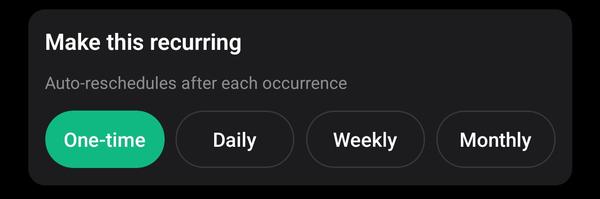
Power Walkers can create recurring walks that repeat on a daily, weekly, or monthly schedule, up to 5 active templates. Touring Agency subscribers get unlimited recurring walks. Each recurring walk automatically generates future instances so participants can join upcoming sessions. This saves time on the "administration" of manually scheduling walks by hand.

Recurring walks setup

3. Who Can Join? Friends or Everyone?

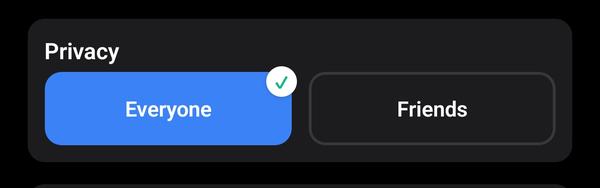
Friends or Everyone selection

This one is also pretty self-explanatory. Walk With Me has an "Add a Friend" feature, and you can choose if you wish your walks to only be visible to friends to maintain a close circle of a walking community, or if you want to let anyone in your area join in on your walks and enjoy your company!

4. Walk Purpose

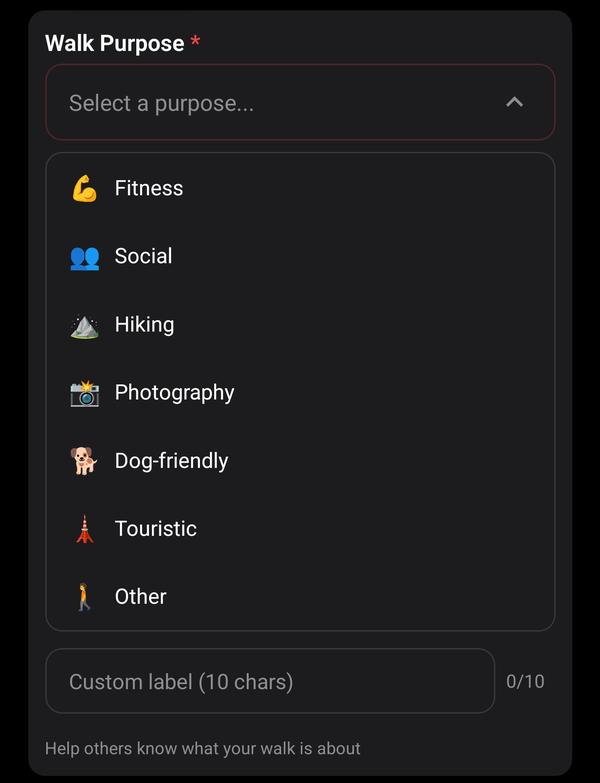
Walk purpose selection

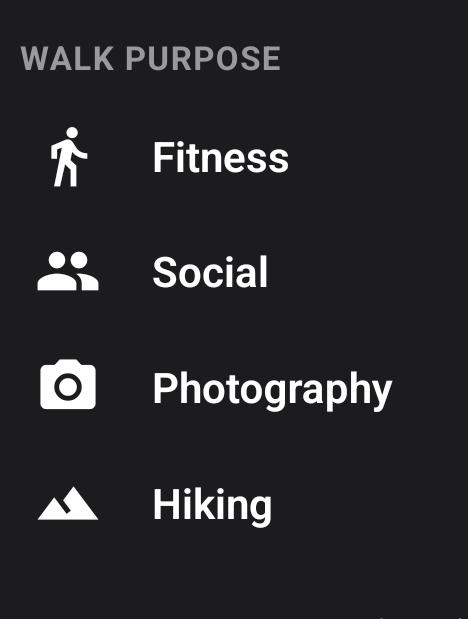
Walk purpose lets you choose what you want to walk for, and this lets people know beforehand what to expect during the walk. Are you maybe a photographer who likes street photography and wants to walk around and take photos? Are you trying to meet new people on the app and want the walk to be more social? Or maybe you're serious about hiking a trail and you want people to come in with their hiking equipment? Your walk, your rules! And depending on what you choose, you get a special walk marker on the map with one of these icons:

Walk purpose markers

Dog walkers get a special banner and color! Namely a cutesy dog paw with a pink color!

5. Gender Preference

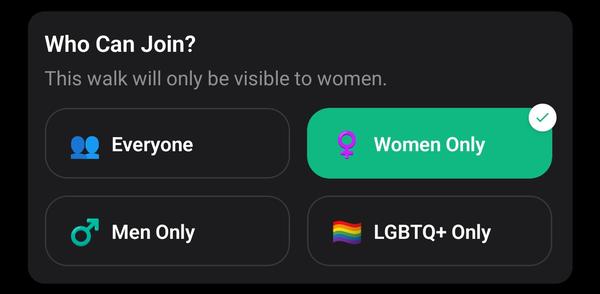
Gender preference selection

This feature was made for men, women, or members of the LGBTQ+ community who do not wish to have certain genders in their walks. You can create women's walking groups or LGBTQ+ only walks. We at Walk With Me recognize that some people might misunderstand the app and use it as a dating app, which is why we want to give people the privacy and security to ensure that only people of a certain gender can join.

6. Walk Title and Description

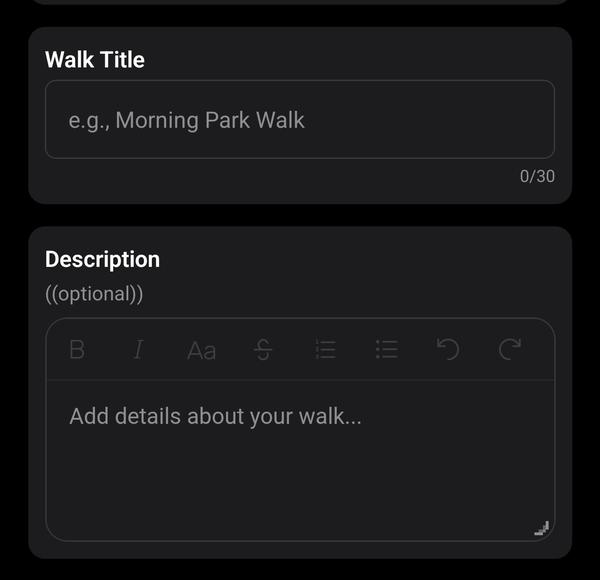
Walk title and description fields

Another self-explanatory field. This is where you can include more details about your walk. You can include links as well in case you wish to provide more context and information about what you have planned.

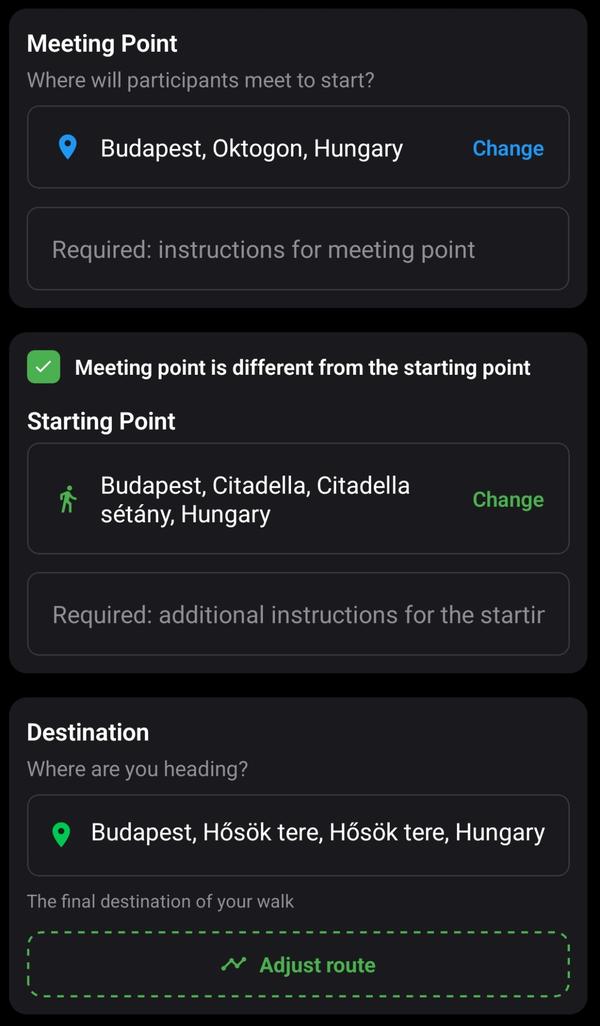
7. Meeting Point, Starting Point, and Destination

Meeting point, start, and destination

In this section, you're able to set a meeting point. This is where the marker of the walk will be located and where people are supposed to meet to head for the walk you're organizing. Now, I've run into some community managers and walk organizers who prefer to meet somewhere and start their walking journey somewhere else. This is a valid concern, and I found out that hikers especially like to meet at a station of some sort and then take public transportation to get to the trailhead, which is why the starting point is actually where the walk begins. The destination is where the walk is headed and where you think it should end!

8. Itinerary

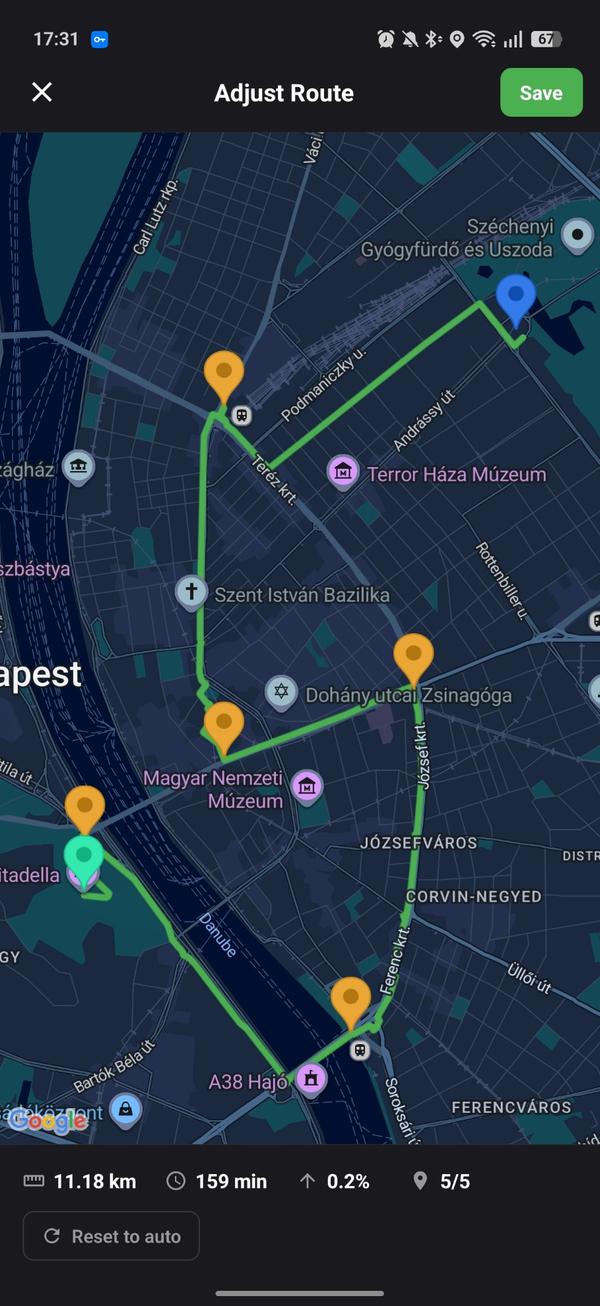
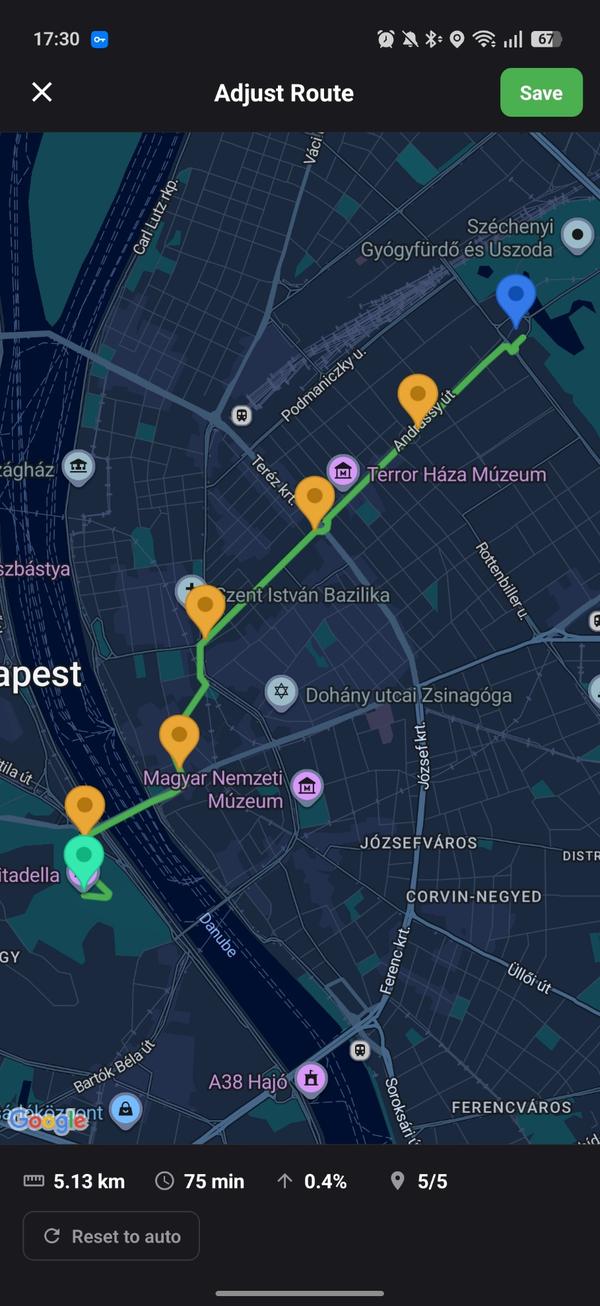
After you've set up your meeting, starting, and destination points, you get to customize your itinerary. Google Maps' automatic itinerary is simply the most efficient and effective way of going from point A to point B, but we know that many of us like to make our own routes. Touring agencies especially have certain destinations along the way that they want to hit during the walk. For this reason, we give you pins in the itinerary window where you can set your exact route: where it starts, where it goes through, and where it ends.

Default itineraryCustomized itinerary

9. Quick Walk Detail Overview

Walk detail overview with pace and calories

This section gives you, at a glance, quick details about your walk at different paces. Of course, the faster your pace is, the more intense the numbers will look, and the inclination also makes the walk more or less difficult. So it is always important to keep that in mind when scheduling a walk.

10. How Many People Can Join Your Walk?

Participant limit selector

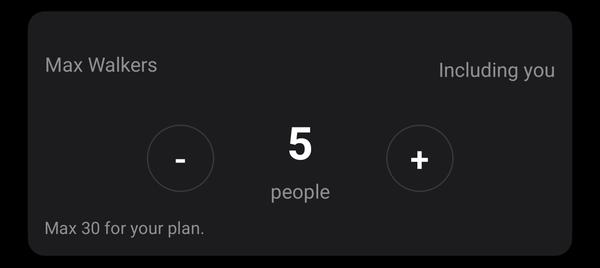
This is another self-explanatory feature. You simply choose how many people can join your walk.

And with that, we went through every single feature that shipped with the app's create walk experience! I hope you learned something new and hopefully this will make your walk creation experience smoother and more comprehensive! If you have any questions, check out our FAQ or read about all our safety features.
March 9, 2026

Is Walk With Me Safe?

You know, it's funny. Every time I bring up this app to people, the first question they ask me is, "Well, is it safe?" and the answer I have for them is always the same: "Yes, 'Safe' is the app's middle name! :D" and then I proceed to explain the safety measures put in place to ensure the smooth, safe, secure, and delightful experience of walking socially.

Walking alone can be dangerous. As a matter of fact, I'd say that this app is very useful for people who do not wish to walk alone and want a safe walking experience. The first misconception about the app is: "Ohh, my precise location will be broadcasted to everyone in the city and people will be able to locate and stalk me! No thank you!" and the argument I have towards this is that, no, your location is always offset by 200 meters. This means that the "live" walk marker that you see on the map will never, ever pinpoint exactly where the walker is.

Here's the neat part: on the client level in the app, the marker is randomized to always appear at a random radius of 200 meters. This means that from one user's perspective, the marker will be 65m away to the north of the real location. From another's, 198m away to the southeast. Another's would be 200m from the west, and so on. This means there are different layers protecting your exact location from the very start. Below are examples of how your location is offset by the marker:

Location offset example 1Location offset example 2Location offset example 3Location offset example 4Location offset example 5

"Okay, but what's the point of that if it moves with you wherever you go?" and there lies the second misconception: how instantaneous your location is. It's actually delayed by 5 minutes, so everything that you see on the map is always late by 5 minutes. This means that when someone finds your walk in the app, even if they know how you look and they try to locate you physically without you knowing (Jesus, this is the worst case use of the app and I hope it'll never happen), they'll be faced with the 200m offset hurdle as well as the 5 minute delay. So they'll always be 5 minutes behind and they'll never be able to pinpoint exactly where you're standing.

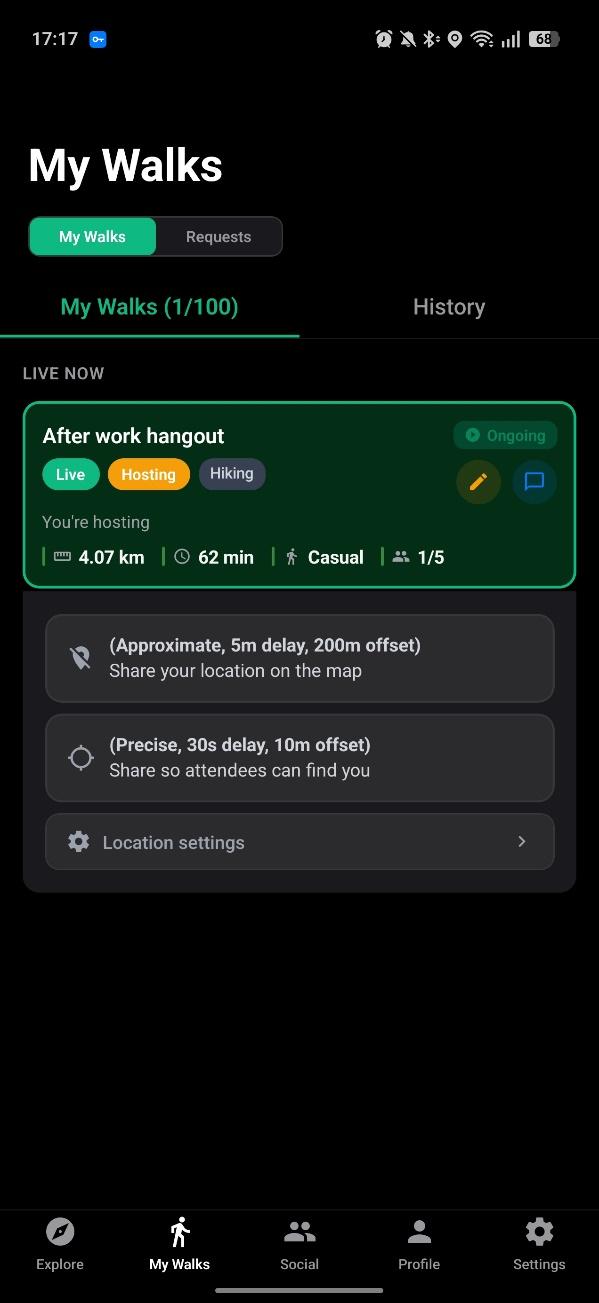
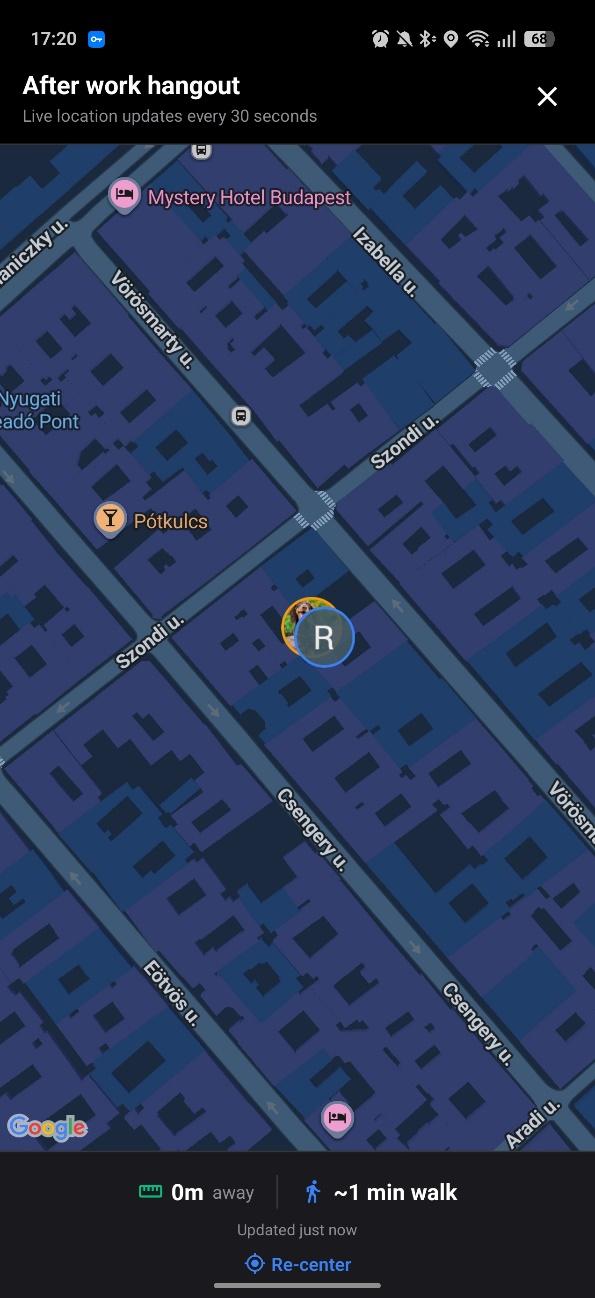
"So how do people on the app actually find each other and meet?" The answer to this is simple. Simply request to join the walk and once accepted, that's it! You get access to the precise location of the host and find each other!

Walk join request flowAccepted walk showing precise location

So of course, the app allows strangers to link up and go for a casual walk around the city to decompress, but it has many guardrails and safety measures in place to prevent and predict any odd behavior that can be exhibited in an app like this.

We, here at Walk With Me, would like to ensure that you have a peaceful walk with people you would enjoy walking with, for whatever purpose! Read more about all our safety and privacy features, or check out our Community Guidelines to learn how we keep the community safe.


March 2, 2026

Major Updates

Alongside this wave of new features, we wanted to recognize the people who believed in Walk With Me from day one. Every user who signed up and created an account within the first two months of the app's release has been gifted a lifetime premium subscription, no strings attached.

These early adopters downloaded the app when it had zero daily users, explored it before most features even existed, and gave it a chance purely on faith. That kind of belief deserves to be rewarded permanently. Their premium status will never expire, and even if they upgrade to Power Walker or Touring Agency and that subscription lapses, they'll always fall back to premium.

If you're new here, this is what Walk With Me is all about: a global walking community where anyone can show up, start a walk, or join one, for fitness, socializing, dog-walking, tourism, or whatever gets you moving. All of these updates build on our core safety and privacy features that protect every walk. Here's everything that's new.

New Core Updates & Functionalities

Premium Subscriptions & Paywall

We launched a full three-tier subscription system approved by Google and Apple with a 7-day trial, with weekly, monthly, and yearly billing options.

Premium

Premium

More flexibility and visibility

Power Walker

Power Walker

Organize walks regularly

Touring Agency

Touring Agency

Professional walking tours

Premium

Travel Mode

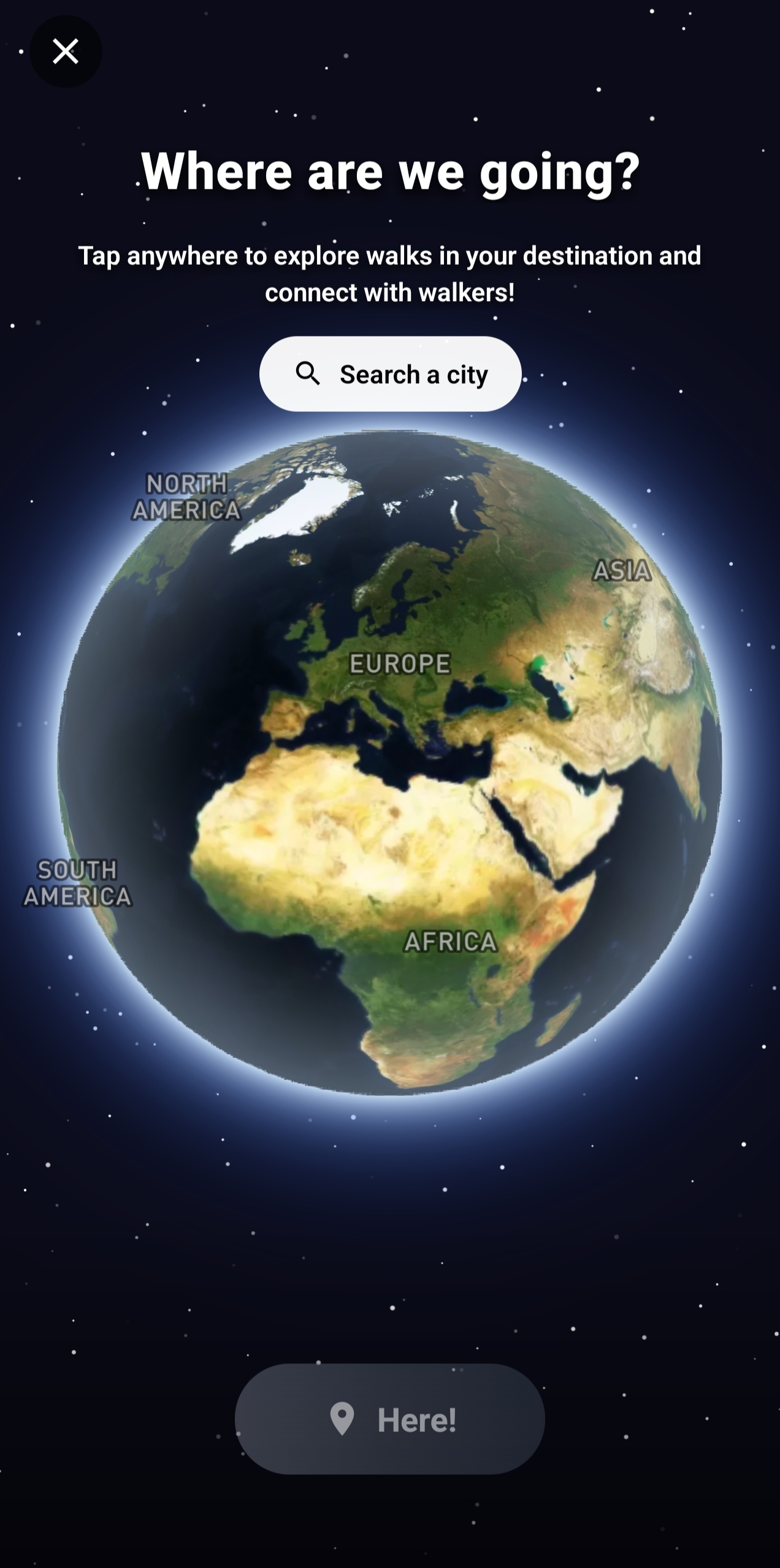
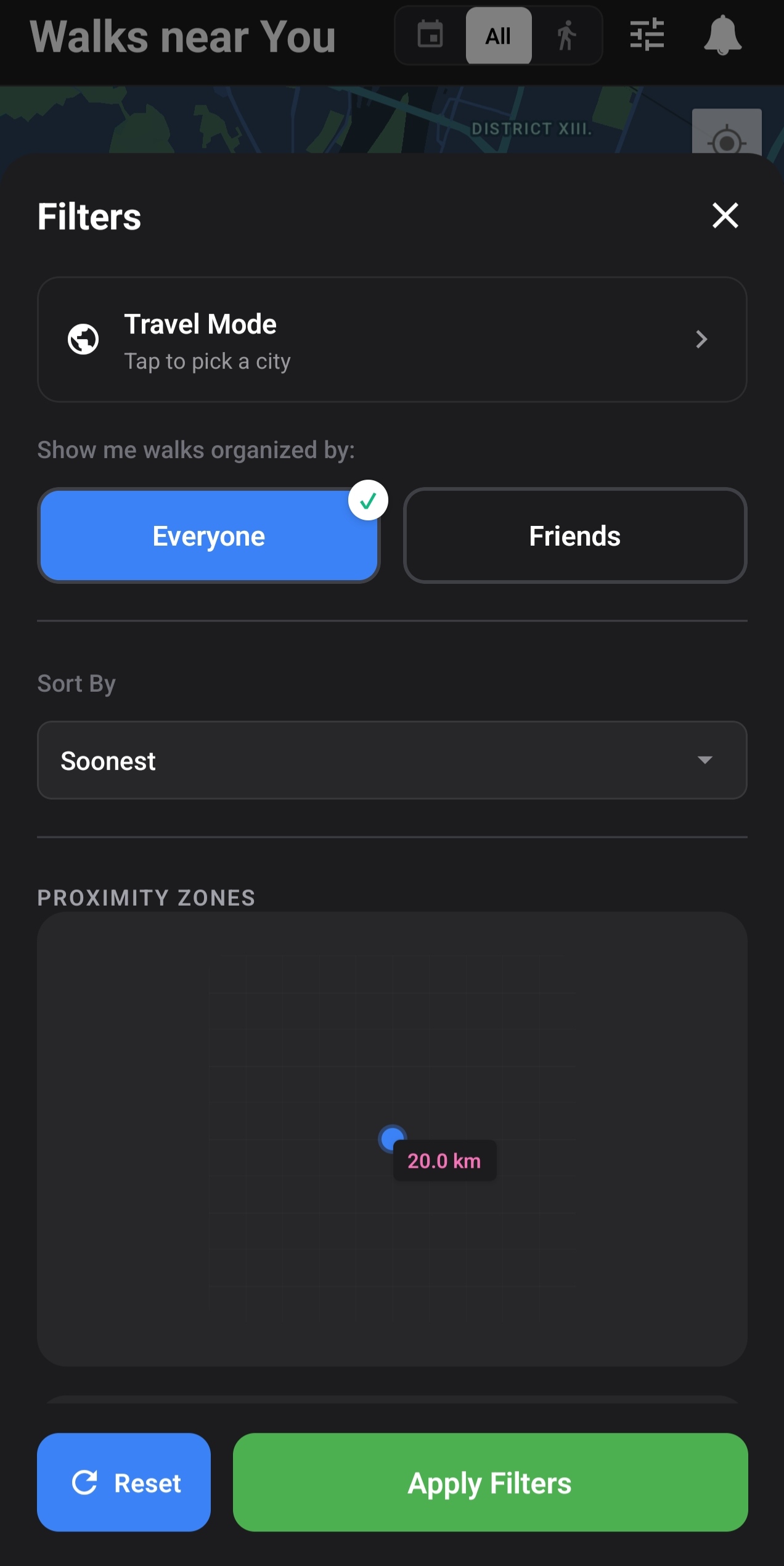
Premium subscribers can now activate Travel Mode to override their GPS location and explore walks happening anywhere in the world. Select a city or drop a pin on the map, and the app shows nearby walks as if you were there.

Travel Mode globeTravel Mode in filters
Premium

Profile View Tracking

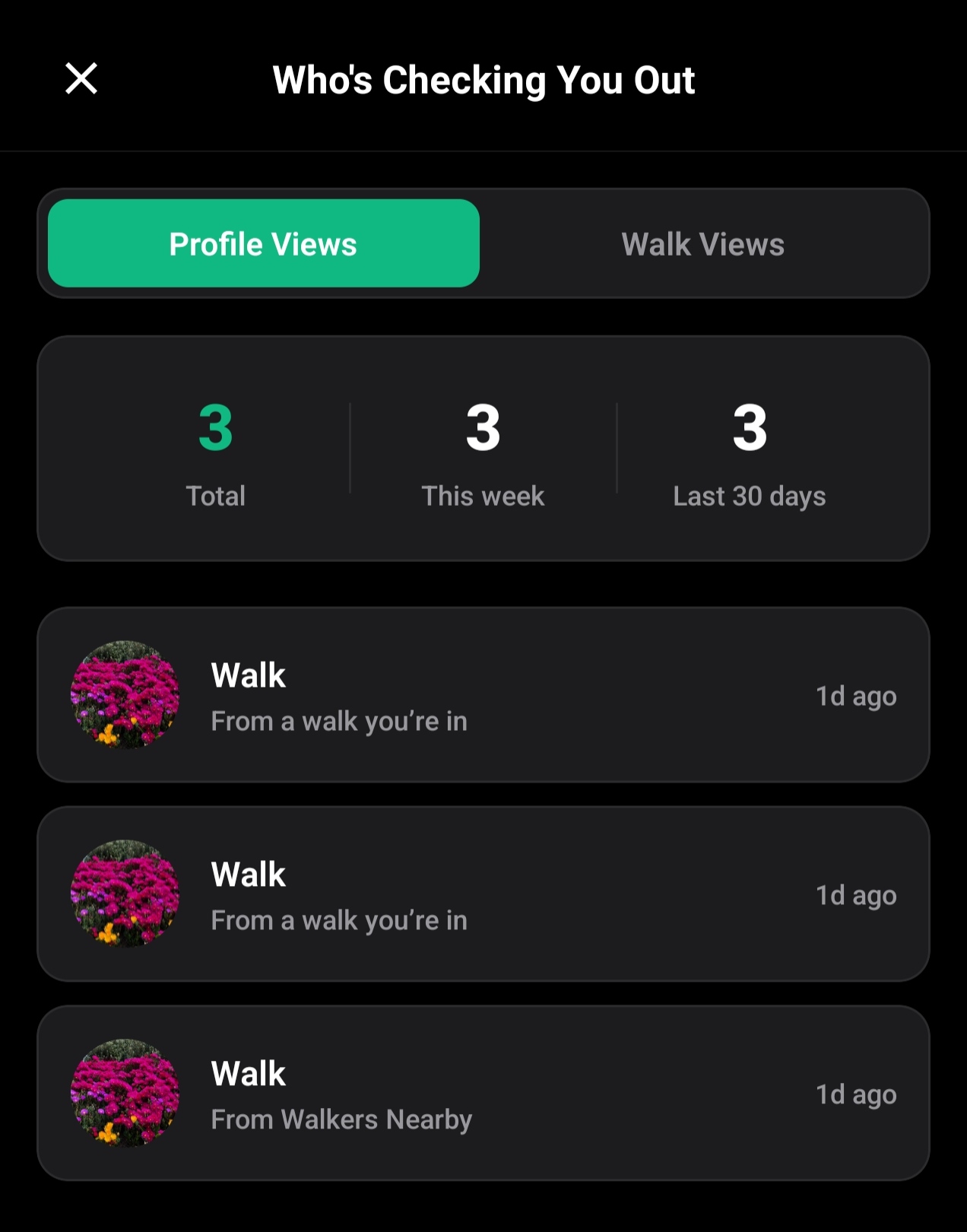
Premium users can now see who viewed their profile. The Views screen shows a count of total profile views and a list of recent viewers (last 30 days).

Profile view tracking
Power Walker & Touring Agency

Recurring Walks

Power Walkers can now create recurring walks that repeat on a daily, weekly, or monthly schedule, up to 5 active templates. Touring Agency subscribers get unlimited recurring walks.

Recurring walks

Walk Discovery Radius by Tier

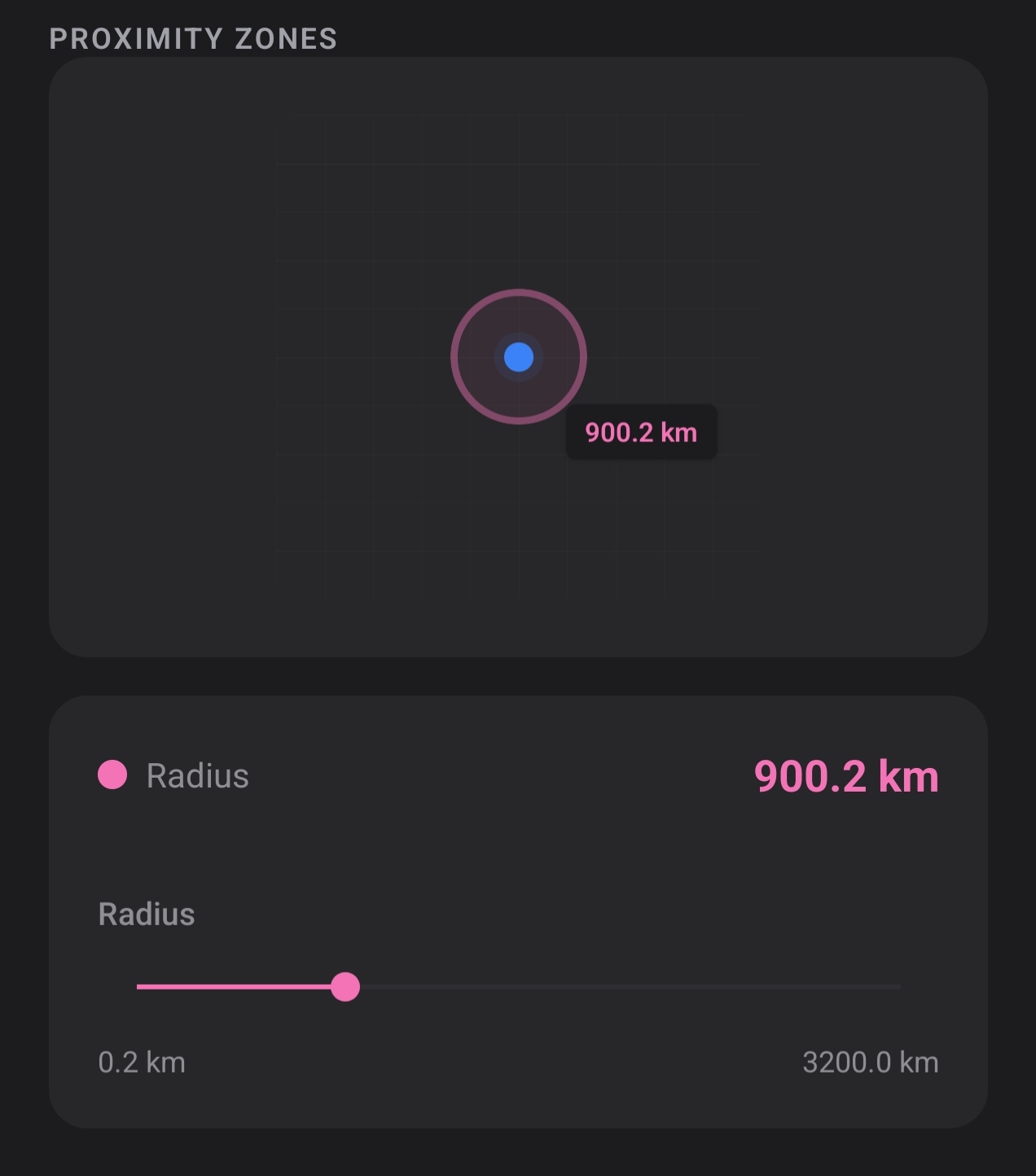
The map discovery radius is now tier-dependent, unlocking a wider search area as you upgrade.

TierMax Radius
Free10 km
Premium20 km
Power Walker50 km
Touring Agency3,200 km
Radius slider
Free

Profile Cover Photo & Photo Gallery

All users can now add a cover photo and up to 3 gallery photos to their profile. This is a free feature available to everyone.

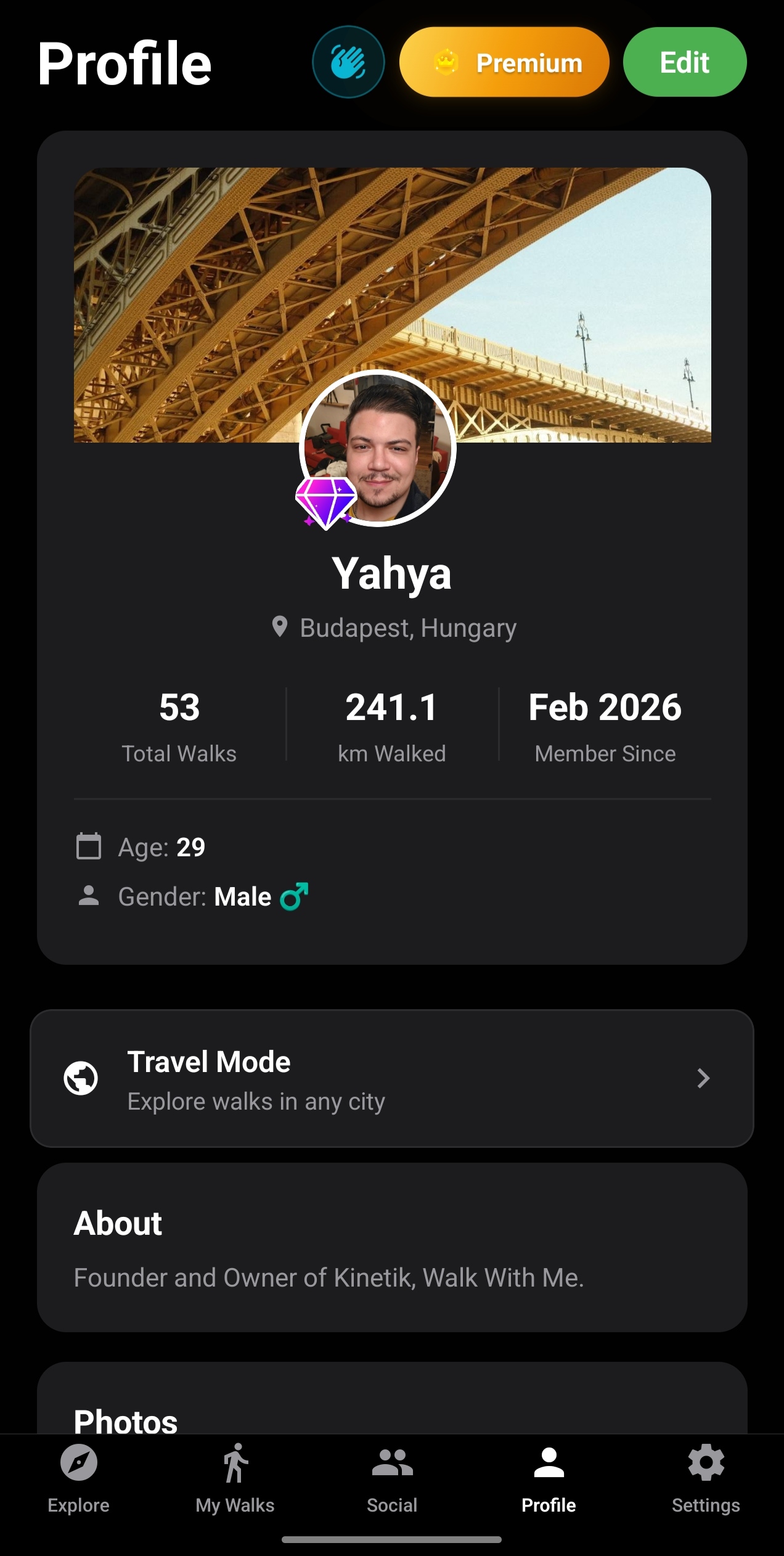
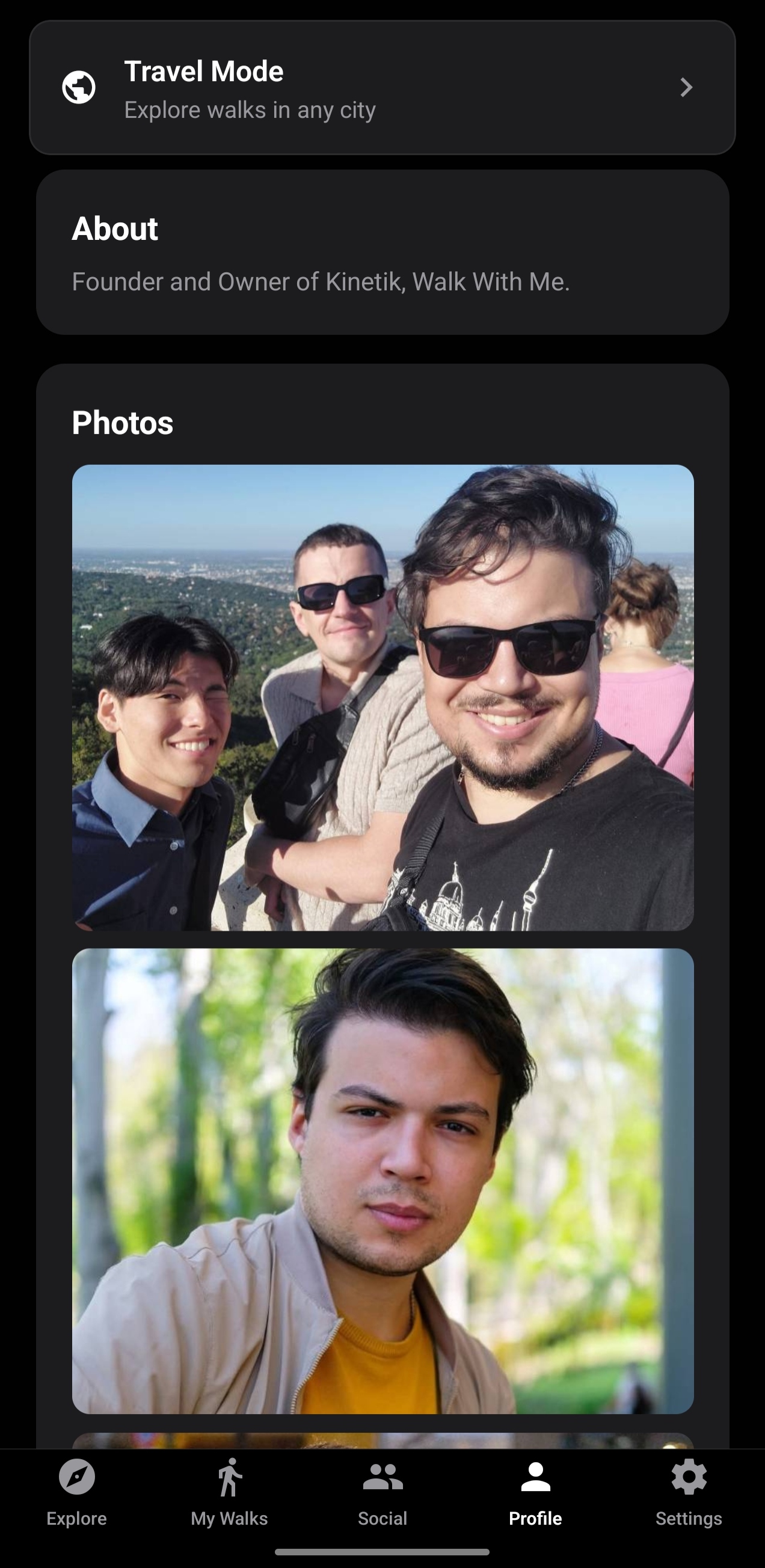
Profile with cover photoGallery photos on profile
Premium

Walk Cover Photo

Premium subscribers can upload a cover photo when creating a walk, making your walk stand out on the map and in listings.

Walk card with cover photo

Walk Map Markers Revamp

Walk markers on the map received a complete visual overhaul. Markers now sort by tier priority.

Recurring

Recurring

Touring

Touring Agency

Dog-Friendly

Dog-Friendly

Standard

Standard

Walk Tags & Purpose Labels

Tag your walks with purpose labels (Fitness, Social, Dog Walking, Photography, etc.). Power Walker+ subscribers can set custom labels.

Fitness

Fitness

Social

Social

Photography

Photography

Hiking

Hiking

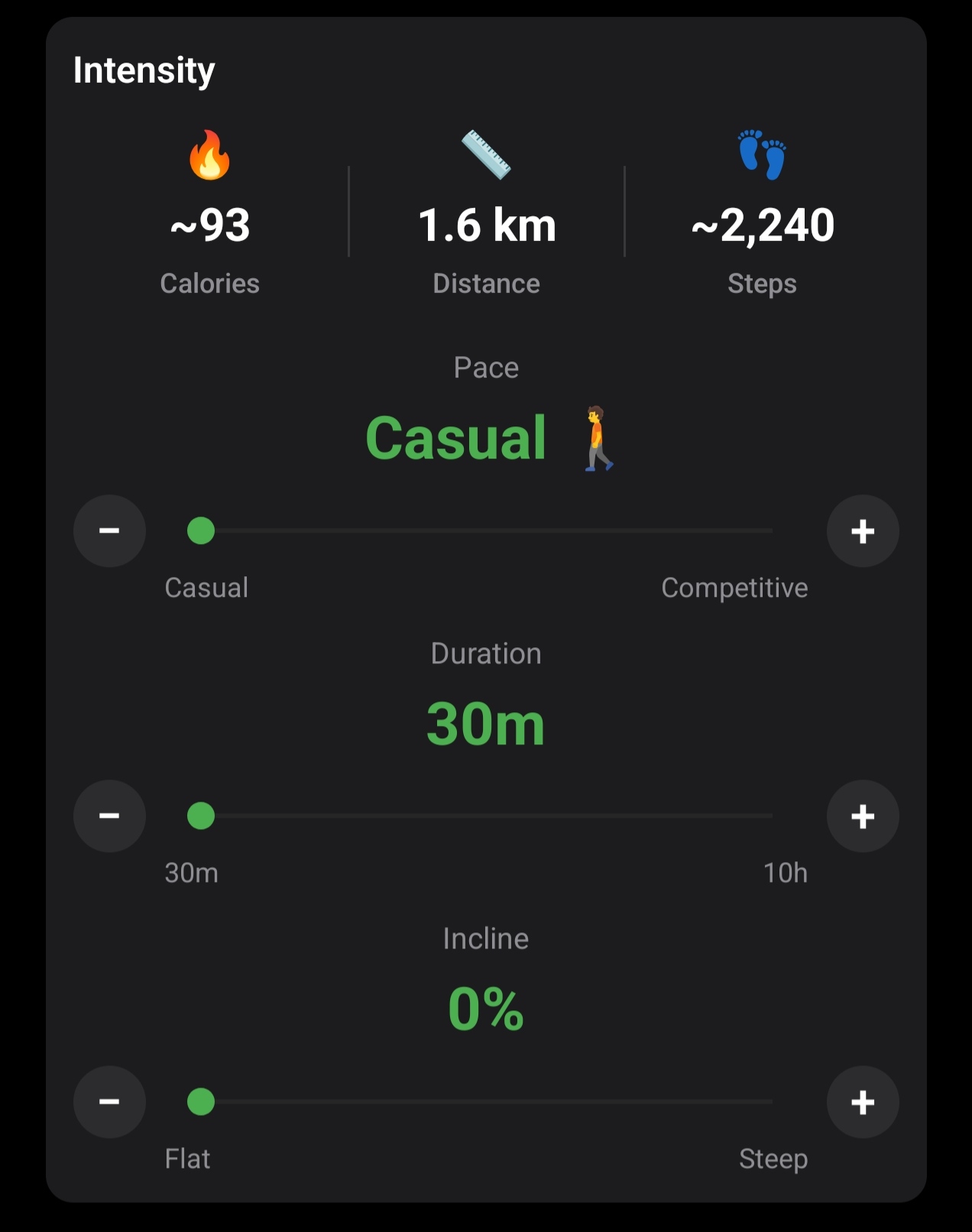
Walk Intensity Controls

The walk creation screen now includes detailed intensity settings:

  • Pace slider Casual, Moderate, Brisk, or Competitive
  • Incline slider 0-30% grade for hilly terrain
  • Calorie estimation Auto-calculated based on pace, incline, distance, and duration
  • Max duration increased from 6 hours to 10 hours
Walk intensity controls

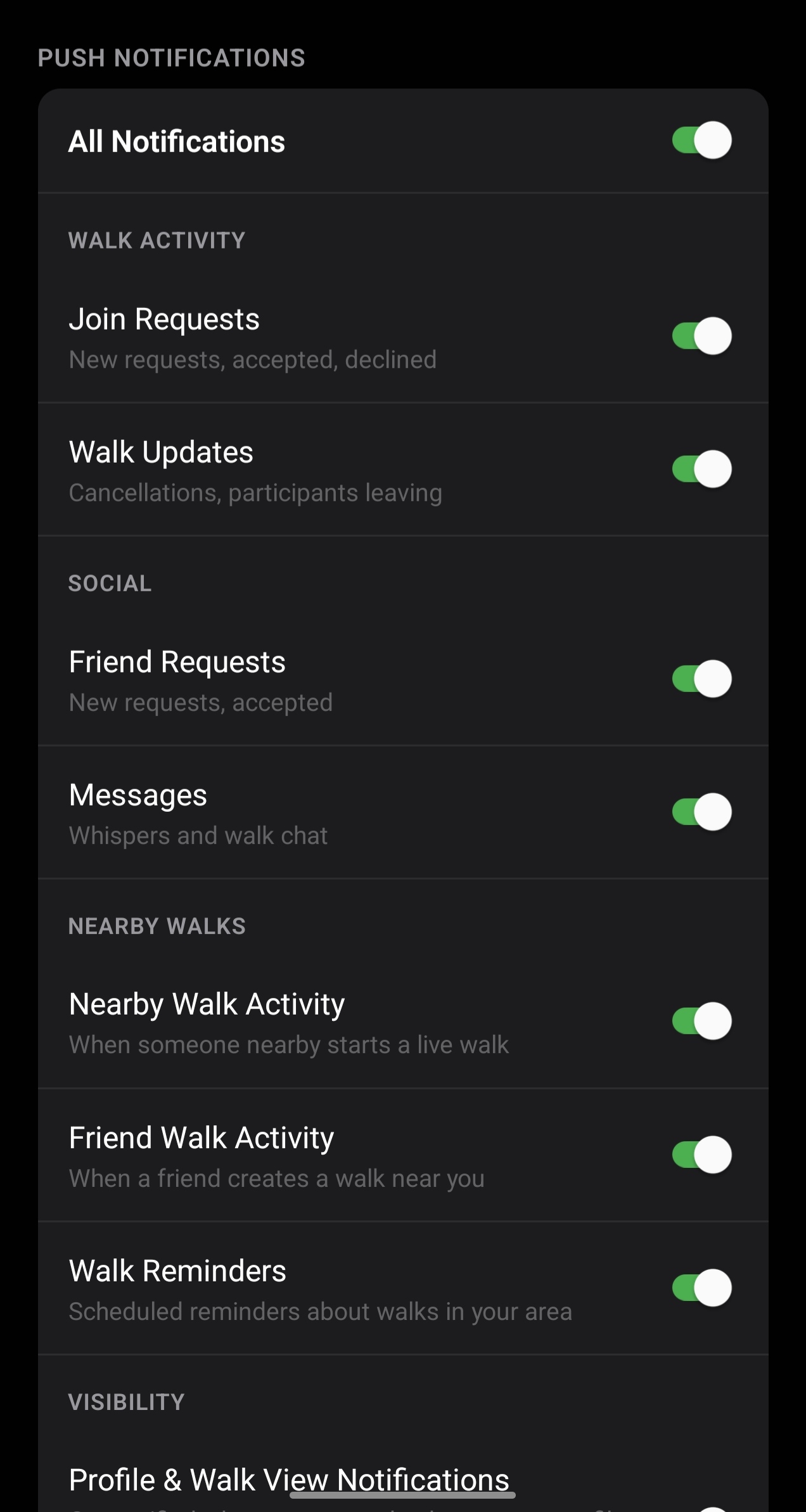
Walk Reminders

The app now sends notifications reminding you about upcoming walks, intelligently scheduled within a 5-7 PM window on the day of your walk.

Live Walk Nearby Notifications

When a walk goes live near your current location, you receive a push notification inviting you to join.

Premium

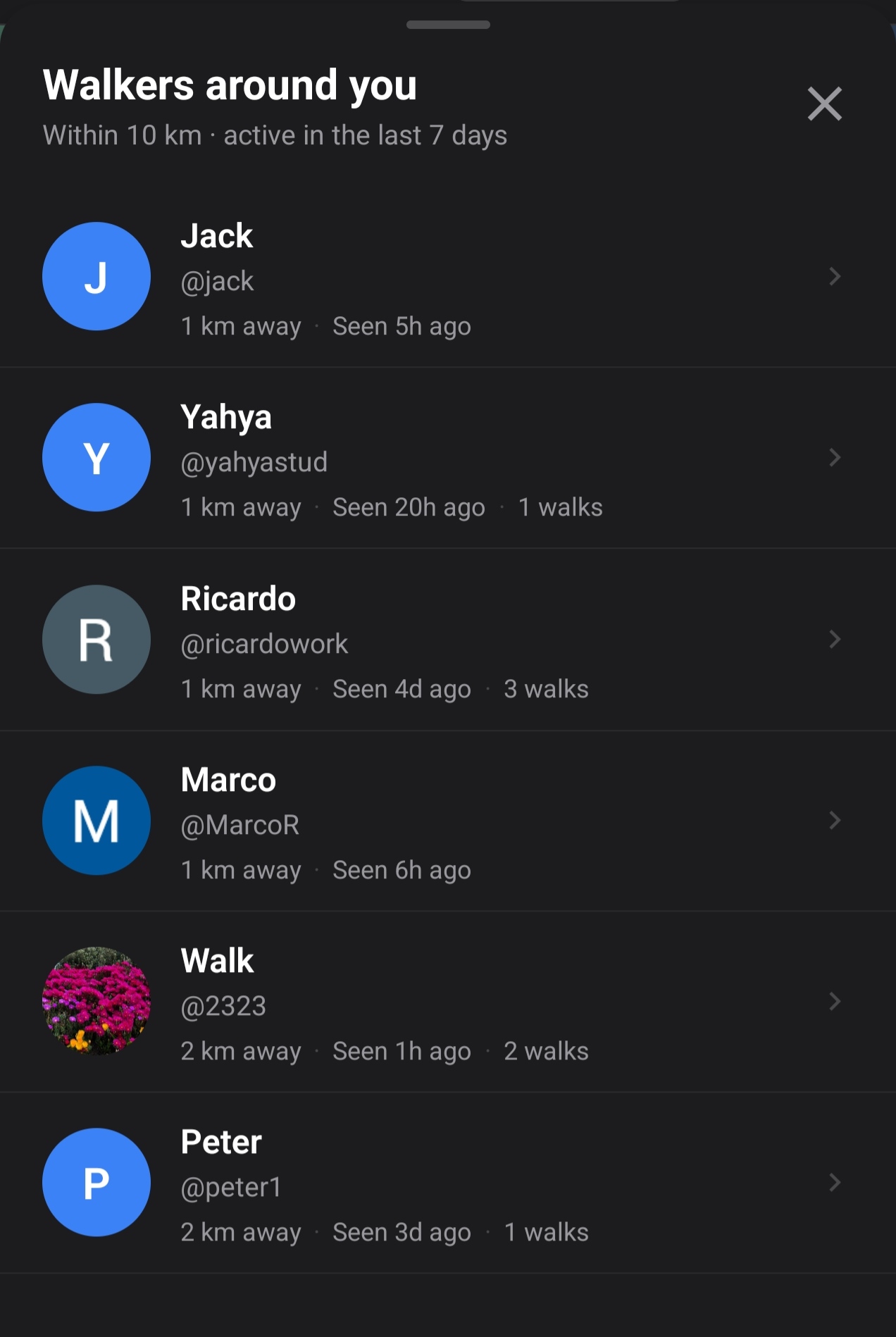
Nearby Walkers

Premium subscribers can see other active walkers nearby on the map.

Walkers around you

Notification Preferences

Fine-grained control over which notifications you receive.

Notification preferences

Filters Redesign

The walk discovery filters received a complete UI overhaul with a cleaner layout and dual-range sliders.

Auto-Accept for Official Walks

Official Walk With Me walks now auto-accept join requests instantly.

Bug Fixes & Reliability

  • Fixed a critical authentication issue that briefly affected all sign-in methods
  • Fixed a background location memory leak on Android
  • Fixed walk reminder notifications not firing on fresh app installs
  • Fixed recurring walk markers showing the wrong color on the map
  • Improved push notification delivery reliability

February 23, 2026

How Walk With Me Came to Be

I love walking. A lot. I do it primarily to clear my mind, reflect on past events, and for fitness purposes. So every time I can, I just go for a walk. It doesn't matter where, how long, or what I'd do on that walk. I just turn on the music and go. I enjoy it. It's my "me" time and I feel relaxed and worked after a good walk at a good pace. Finding people who love walking is no easy task, but the thing is, I see these "solo walkers" around me all the time: at the park, in the streets, at monuments and famous places, and this is when I realized I wasn't alone. There are many others who also love walking, just like me!

I have a very close and good friend of mine, and one of the reasons we got along well was that he loves walking too. He's definitely stricter with his walks and routines, and he sticks to them more often than me. It's part of his daily routine to go out on walks, and he also genuinely loves the activity. When we first both started walking together, we both quickly realized that WOW, walking with someone is actually enjoyable. Not just training or practicing together, but just having a walk that could end in a meal, in a drink, somewhere interesting. It doesn't matter, every walk was different, and the type of discussions we had and the points we raised were always interesting. Even during days when neither of us felt particularly talkative, we still found interesting topics happening around us that were great conversation starters.

And this is when my walking experience turned social. I started asking more and more people to walk with me, to just go out for a walk wherever and have fun talking, and surprisingly, the reception was fantastic. I found out that actually, there are so many people who love walking as much as I do, and although they might do it for different reasons, they enjoy it as much as I do. This is when the idea slowly started building in my mind.

I still remember it. It was particularly one cold Wednesday in October or November 2025. I had a prior arrangement with my friend to walk that night. I finished with my job, it was 17:00, I asked my friend if he was still down to walk and he told me he had stuff coming up and he'd join me during the weekend. I said no worries and I went for a walk anyway.

That day, I remember, I really wanted someone to talk to. And I remember walking in the city during that cold and thinking, "Oh man, it would be nice if I had someone to walk with right now." And then I kept thinking, "Is there some kind of an app where you open it, and you can literally see people walk?" I was imagining some kind of a nice map with live walks happening right now shown as green markers and scheduled ones shown as calendars, and I could literally see this UI in my head:

The original Walk With Me concept as imagined during that first walk

I pulled my phone and while walking I started researching the topic, and what do you know? There was no such thing. At all! There are some apps that match you with others in the area who want to walk in a Tinder-style fashion where you swipe right or left for walking buddies (a really strange concept for me, but okay), but there was no other app like Walk With Me. Even the name "Walk With Me" was associated with self-reflective journeys and spiritual apps, which was all the more interesting to see this brand not associated with what it literally has in its title: the act of "walking" "with" someone. So when during that walk I realized the gap, I remember I turned 180 degrees and headed straight home and got to work.

3 months later, Walk With Me shipped to iOS and Android with its full features and functionalities, and I couldn't be prouder of this achievement.

Key Takeaways

  • Walk With Me is a free social walking app for iOS and Android that helps you find walking buddies nearby.
  • The app includes 10 layers of safety: 200-meter location offset, host approval, instant blocking, and 24-hour report review.
  • Create walks with custom itinerary, pace, terrain, and audience settings including gender-specific options.
  • Features include a live map, friend networks, group chats, walking stats, and calorie tracking.

Frequently Asked Questions